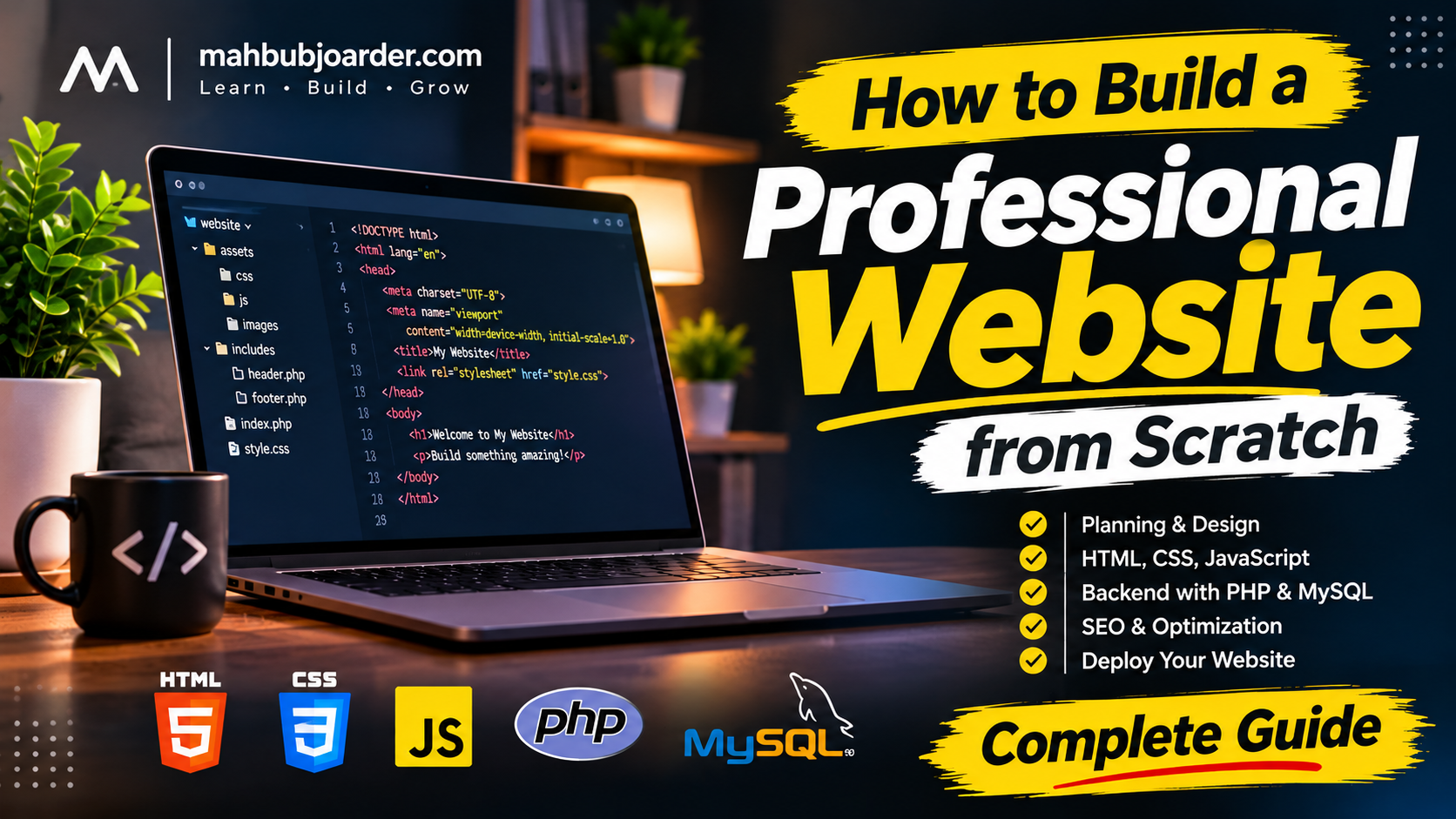
How to Build a Professional Website from Scratch in 2026
Building a professional website from scratch is one of the most valuable skills in today's digital world. Whether you are a business owner, freelancer, entrepreneur, or aspiring web developer, having a well-designed website can help you establish credibility, reach a wider audience, and grow your online presence.
However, creating a professional website involves much more than writing a few lines of HTML and CSS. It requires proper planning, thoughtful design, frontend development, backend functionality, database management, security, search engine optimization (SEO), and performance optimization.
In this guide, you will learn how to build a professional website from scratch, understand the essential technologies, and follow a practical development process to create a website that is modern, responsive, secure, and user-friendly.
- Define Your Website's Purpose and Goals
Before writing any code, you need to understand why you are building the website.
Every successful website starts with a clear purpose. Different websites require different structures, features, and technologies.
For example:
- Business Website: Showcases services, company information, and contact details.
- Portfolio Website: Displays personal projects, skills, experience, and achievements.
- E-commerce Website: Allows customers to browse products, place orders, and make payments.
- Blog Website: Publishes articles, tutorials, and informative content.
- Educational Website: Provides learning resources, courses, and educational materials.
Once you identify your website's purpose, define its target audience and primary goals.
You should also prepare a list of essential pages, such as:
- - Home
- - About
- - Services
- - Portfolio or Projects
- - Blog
- - Contact
- - Privacy Policy
- - Terms and Conditions
A well-planned structure makes the development process easier and improves the overall user experience.
- Choose the Right Web Development Technologies
Choosing the right technologies is an important step in building a professional website. Your technology stack should match your project's requirements, complexity, and future scalability.
Here are some essential web development technologies:
HTML – The Structure of a Website
HTML (HyperText Markup Language) defines the structure and content of a website.
It is used to create headings, paragraphs, images, links, forms, navigation menus, and other page elements.
CSS – The Visual Design
CSS (Cascading Style Sheets) controls how a website looks.
It helps developers create layouts, colors, typography, spacing, animations, responsive designs, and modern user interfaces.
JavaScript – Interactive Functionality
JavaScript makes websites interactive and dynamic.
It can be used for:
- - Interactive navigation menus
- - Form validation
- - Dynamic content updates
- - Search functionality
- - Image sliders
- - Interactive dashboards
- - Asynchronous data loading
PHP – Backend Development
PHP is a server-side programming language that allows developers to build dynamic websites and web applications.
It handles user authentication, form processing, database communication, content management, and business logic.
MySQL – Database Management
MySQL is a relational database management system used to store and manage website information.
A database can store:
- - User accounts
- - Blog posts
- - Products
- - Customer information
- - Orders and transactions
- - Website settings
For a traditional custom-built website, a combination of HTML, CSS, JavaScript, PHP, and MySQL provides a powerful development foundation.
- Plan the Website Structure and User Experience
A professional website should be easy to navigate and understand.
Before development, create a basic sitemap and plan how visitors will move between different pages.
For example:
Home → About → Services → Portfolio → ContactFor an online store:
Home → Shop → Product Details → Cart → CheckoutYou can also create wireframes to visualize the layout before writing code.
Focus on these important user experience principles:
- - Keep navigation simple and consistent.
- - Use readable typography.
- - Maintain sufficient contrast between text and backgrounds.
- - Make important buttons easy to find.
- - Avoid unnecessary animations and visual distractions.
- - Keep the content organized.
- - Ensure that visitors can easily find what they need.
Good user experience is not just about appearance. It is about making the website useful and comfortable for visitors.
- Create a Modern and Responsive Website Design
Your website should look professional on desktops, laptops, tablets, and smartphones. Responsive web design allows a website to adapt to different screen sizes and devices. CSS Flexbox, CSS Grid, media queries, and fluid layouts are commonly used to achieve responsive designs.
Some important design recommendations include:
- Consistent Color Scheme: Choose a limited color palette that reflects your brand identity.
- Professional Typography: Use readable fonts and maintain a clear visual hierarchy.
- Consistent Spacing: Apply consistent margins, padding, and section spacing.
- High-Quality Images: Use optimized images that support your content without slowing down the website.
- Mobile-Friendly Navigation: Ensure menus, buttons, and forms work properly on smaller screens.
- Clear Call-to-Action Buttons: Guide visitors toward meaningful actions, such as contacting you, purchasing a product, or exploring your services.
A professional design should balance visual appeal, accessibility, and usability.
- Develop the Frontend
Frontend development focuses on everything visitors can see and interact with. Start by creating a clean HTML structure, then use CSS to implement your design. Add JavaScript where interactive functionality is required.
A typical project structure might look like this:
```text
professional-website/
│
├── index.php
├── about.php
├── services.php
├── contact.php
│
├── assets/
│ ├── css/
│ │ └── style.css
│ ├── js/
│ │ └── script.js
│ └── images/
│
├── includes/
│ ├── header.php
│ └── footer.php
│
└── config/
    └── database.php
```
Organizing files properly makes your project easier to maintain, debug, and expand.
Use reusable components wherever possible. For example, a common header and footer can be included across multiple PHP pages instead of duplicating the same code.
- Build the Backend and Database
A professional website often requires more than static pages.
Backend development allows your website to process information, communicate with databases, authenticate users, and perform different operations.
For example, if you are building a blog website, the backend should support:
- - Creating blog posts
- - Editing existing articles
- - Deleting content
- - Managing categories
- - Uploading featured images
- - Managing user accounts
- - Publishing and unpublishing articles
A database stores this information in an organized format.
When using PHP and MySQL, use prepared statements for database queries to reduce SQL injection risks.
You should also implement proper input validation, output escaping, secure password hashing, and access control.
For larger projects, consider separating business logic, database operations, and presentation code to improve maintainability.
- Create an Admin Dashboard or Content Management System
If you want to manage your website without editing code every time, an admin dashboard is extremely useful.
A Content Management System (CMS) allows authorized administrators to control website content through a user-friendly interface.
Useful admin panel features include:
- - Dashboard overview
- - Page management
- - Blog management
- - Category and tag management
- - Media library
- - User management
- - Product management
- - Order management
- - SEO settings
- - Website configuration
For example, you should be able to publish a new blog article, update an existing page, or upload an image without manually modifying the website's source code.
Always protect the admin panel with secure authentication and role-based permissions.
- Optimize Your Website for Search Engines (SEO)
Search Engine Optimization (SEO) helps search engines understand your website and makes your content eligible to appear in relevant search results.
A professional website should be SEO-friendly from the beginning.
On-Page SEO
Focus on the following elements:
- - Write unique and descriptive page titles.
- - Add meaningful meta descriptions.
- - Use one clear primary H1 heading per page.
- - Organize content with relevant H2 and H3 headings.
- - Include relevant keywords naturally.
- - Use descriptive URLs.
- - Add meaningful image alt text.
- - Link to relevant internal pages.
- - Include useful external references when appropriate.
Technical SEO
Technical SEO helps search engines crawl, understand, and index your website.
Important elements include:
- - XML sitemap
- - Robots.txt configuration
- - Canonical URLs
- - HTTPS security
- - Mobile-friendly design
- - Proper URL structure
- - Structured data where appropriate
- - Correct HTTP status codes
- - Fast page loading
You can use Google Search Console to monitor indexing, search performance, and technical issues.
Remember that SEO is an ongoing process. Publishing useful, original content and improving the overall website experience are essential for long-term results.
- Improve Website Speed and Performance
Website performance directly affects usability. A slow website can frustrate visitors and make it harder for them to interact with your content.
Here are some effective optimization techniques:
- **Optimize Images:** Compress images and use modern formats such as WebP or AVIF where supported.
- **Minify CSS and JavaScript:** Remove unnecessary characters and optimize your frontend assets.
- **Enable Browser Caching:** Allow browsers to reuse suitable static resources.
- **Reduce Unnecessary Requests:** Avoid loading unnecessary scripts, stylesheets, and third-party resources.
- **Optimize Database Queries:** Use appropriate indexes and efficient queries.
- **Use Lazy Loading:** Load non-critical images and resources when needed.
- **Use a CDN When Appropriate:** A Content Delivery Network can help deliver static resources efficiently to users in different locations.
Google's Core Web Vitals are useful performance indicators:
- - **Largest Contentful Paint (LCP):** Measures when the largest content element becomes visible.
- - **Interaction to Next Paint (INP):** Measures responsiveness to user interactions.
- - **Cumulative Layout Shift (CLS):** Measures unexpected visual layout movement.
For good Core Web Vitals, Google recommends an LCP of 2.5 seconds or less, an INP of 200 milliseconds or less, and a CLS score of 0.1 or less, measured at the 75th percentile.
You can evaluate your website using Google PageSpeed Insights and Lighthouse.
- Implement Website Security
Website security should never be an afterthought.
Even a small business website can become a target for automated attacks, malicious requests, and unauthorized access.
Follow these essential security practices:
- - Always use HTTPS with a valid SSL certificate.
- - Hash passwords using secure password-hashing functions.
- - Validate and sanitize user input.
- - Use prepared SQL statements.
- - Protect forms against Cross-Site Request Forgery (CSRF).
- - Escape user-generated output to reduce Cross-Site Scripting (XSS) risks.
- - Restrict access to administrative functions.
- - Validate uploaded files and restrict their types and sizes.
- - Keep software and dependencies updated.
- - Maintain regular database and file backups.
A secure website protects both its owner and its visitors.
- Test Your Website Before Launching
Before making your website publicly available, test every important feature.
Do not assume that a website works correctly simply because the homepage looks good.
Your testing checklist should include:
- - Check all navigation links.
- - Test registration and login functionality.
- - Test contact forms.
- - Verify database operations.
- - Check all images and downloadable files.
- - Test the website on different browsers.
- - Check responsive layouts on mobile devices.
- - Review page loading performance.
- - Verify SEO metadata.
- - Check for broken links and missing pages.
- - Test security and access permissions.
Testing helps identify problems before real visitors encounter them.
- Deploy Your Website to a Live Server
After completing development and testing, the next step is deployment.
A website needs a domain name and web hosting to become accessible through the internet.
The basic deployment process includes:
1. Register a suitable domain name.
2. Purchase a hosting plan that supports your technology stack.
3. Configure the domain's DNS records.
4. Upload your website files to the hosting server.
5. Create and configure the production database.
6. Import your database structure and data.
7. Update production environment settings.
8. Configure SSL and HTTPS.
9. Test all pages and important functionality.
10. Submit your XML sitemap to Google Search Console.
Remember to use separate development and production configurations. Never expose database passwords, API secrets, or other sensitive configuration information publicly.
After deployment, monitor website performance, security, and errors regularly.
- Maintain and Improve Your Website
Launching your website is not the end of development.
A professional website needs continuous maintenance to remain secure, functional, and relevant.
Regular maintenance activities include:
- - Updating website content.
- - Fixing broken links.
- - Reviewing website analytics.
- - Monitoring search engine performance.
- - Checking security vulnerabilities.
- - Updating dependencies.
- - Testing forms and important features.
- - Creating regular backups.
- - Improving website speed and usability.
Listen to visitor feedback and use it to improve your website over time.
Final Thoughts
Building a professional website from scratch is a process that combines planning, design, programming, security, performance optimization, and continuous improvement.
You do not need to build everything in one day. Start with a clear purpose, choose the right technologies, develop a clean and responsive design, implement the necessary backend functionality, and test everything carefully before deployment.
The most important thing is to build a website that solves real problems and provides genuine value to its visitors.
Whether you are developing a personal portfolio, a business website, an online store, or a complete web application, the principles discussed in this guide will help you build a strong foundation.
A professional website is not just about how it looks. It is about how well it works, how securely it operates, and how effectively it serves its users.
**About the Author**
Siam Joarder is a Full-Stack Web Developer passionate about building modern, responsive, and functional web experiences. His interests include web development, programming, artificial intelligence, website optimization, and digital innovation.
Explore more articles and projects at **mahbubjoarder.com**.
Frequently Asked Questions (FAQ)
### 1. Can I build a professional website from scratch without WordPress?
Yes. You can build a complete custom website using HTML, CSS, JavaScript, PHP, and MySQL without using WordPress or other website builders.
### 2. Which programming languages are best for website development?
HTML, CSS, and JavaScript are essential frontend technologies. PHP, Python, JavaScript (Node.js), and other server-side technologies can be used for backend development.
### 3. How long does it take to build a professional website?
The development time depends on the website's complexity, design, functionality, and content. A simple website may take a few days, while a complex web application may require several weeks or months.
### 4. Is responsive design important for SEO?
Responsive design is important because it improves usability across devices. Google primarily uses the mobile version of website content for indexing, so a properly functioning mobile experience is essential.
### 5. How can I improve my website's Google ranking?
Publish helpful and original content, implement technical SEO, improve website performance, create descriptive page titles, build a logical internal linking structure, and monitor your website through Google Search Console.
### 6. What tools can I use to test website performance?
Google PageSpeed Insights and Lighthouse are useful tools for evaluating website performance, accessibility, SEO, and best practices.